How to Choose the Right Conference Room Camera for Your Business
Choosing the right conference room camera is essential for businesses that rely on clear, effective video meetings. The right solution depends on room size, participant numbers, image quality and the features required for hybrid collaboration. From compact meeting spaces to larger boardrooms, businesses need equipment that supports reliable communication.
This guide explains the key factors to consider when selecting a conference room camera and explores professional options available through DDevices' camera range.
What Is a Conference Room Camera?
A conference room camera is a video-capture device designed to support meetings, video conferencing and hybrid collaboration. Unlike standard desktop webcams, these cameras are built to capture multiple participants across a shared meeting space, helping remote attendees see and engage with people in the room.
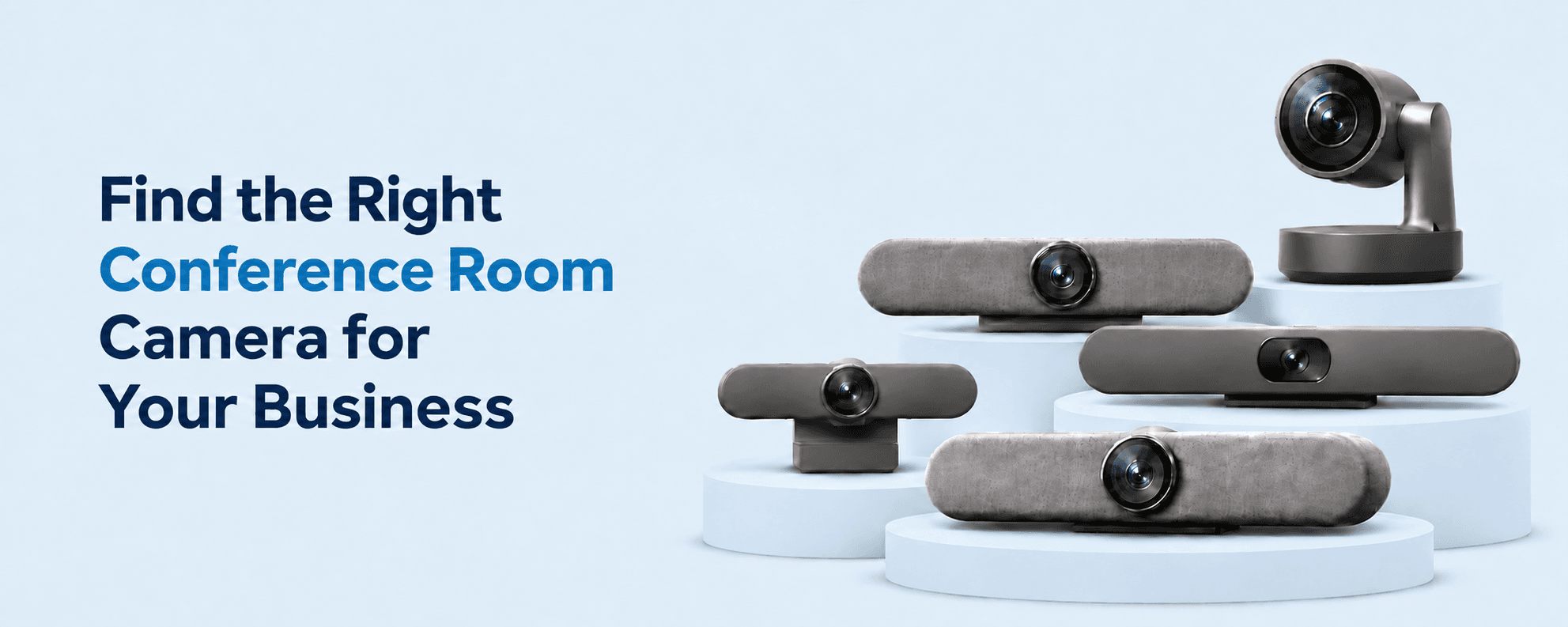
Modern conference room cameras come in different designs, including standalone cameras, pan-tilt-zoom (PTZ) cameras and integrated video bars. Depending on the model, they may offer features such as:
- Wide-angle lenses: Capture more participants within the camera's field of view.
- High-resolution video: Deliver clearer images for remote meeting participants.
- Auto-framing: Adjust the camera view to keep participants within the frame.
- Speaker tracking: Focus on the person speaking, where supported.
- Integrated audio: Combine microphones and speakers with video conferencing equipment.
These features help businesses create more effective meeting environments. Selecting suitable equipment is also an important part of building a connected workplace. Explore DDevices' Modern Workplace solutions or browse its range of professional conference cameras to explore available business technology options.
Webcam vs Conference Room Camera: What's the Difference?
Although webcams and conference room cameras both support video communication, they are designed for different meeting environments. A standard webcam is generally intended for individual use, while a conference room camera is built to capture several participants within a shared meeting space.
The main differences relate to camera coverage, image quality, installation and additional conferencing features.
| Feature | Standard Webcam | Conference Room Camera |
|---|---|---|
| Primary use | Individual video calls | Group meetings and boardrooms |
| Camera coverage | Usually focused on one person | Designed to capture multiple participants |
| Field of view | Generally narrower | Often wider, depending on the model |
| Installation | Usually attached to a monitor or laptop | May be mounted on a display, wall or meeting-room setup |
| Advanced features | Basic autofocus and image adjustment | May include PTZ, auto-framing and speaker tracking |
| Audio | Often relies on a built-in microphone | Some systems include integrated microphones and speakers |
Which option should businesses choose?
A standard webcam may be sufficient for employees working individually from home or personal workstations. However, businesses conducting regular team meetings, client presentations and hybrid conferences may benefit from dedicated conference room cameras.
The choice should reflect the number of participants, room dimensions and required conferencing features. Businesses planning a wider workplace technology upgrade can also explore DDevices' Modern Workplace solutions and its range of professional cameras.
6 Factors to Consider When Choosing a Conference Room Camera
Selecting a conference room camera involves more than comparing prices or video resolution. Businesses should assess how the camera will perform in their meeting environment, how many participants it needs to capture and whether its features support their conferencing requirements.
The following six factors can help IT and procurement teams make a more informed decision.
1. Camera Resolution and Image Quality
Resolution determines the level of detail a camera can capture. Common options include Full HD (1080p) and 4K Ultra HD (2160p).
- 1080p: Suitable for many standard meeting rooms and everyday video conferences.
- 4K: Provides greater image detail and flexibility for cropping or digitally zooming into parts of the image, depending on the camera.
Businesses should also consider low-light performance, colour accuracy and image processing. A higher resolution alone does not guarantee better video quality if lighting and camera performance are inadequate.
2. Field of View and Room Coverage
Field of view (FOV) describes how much of a meeting space a camera can capture. It is usually measured in degrees.
A wider field of view can help capture more participants in smaller meeting rooms, while larger spaces may require additional coverage or a camera with zoom capabilities.
Consider the room's width, seating arrangement and camera mounting position before selecting a model. The aim is to capture everyone clearly without leaving participants outside the frame.
3. Optical Zoom, Digital Zoom and PTZ
Zoom capabilities determine how effectively a camera can capture participants at different distances.
- Optical zoom: Uses the camera lens to magnify the subject while retaining image detail.
- Digital zoom: Enlarges part of the image through software, which can reduce image quality.
- PTZ (Pan-Tilt-Zoom): Allows the camera to move horizontally, vertically and zoom in or out to cover different areas of a room.
For larger boardrooms or flexible meeting spaces, PTZ functionality can provide greater control over camera positioning.
4. Auto-Framing and Speaker Tracking
Advanced conference cameras may include intelligent features that automatically adjust the camera view during meetings.
- Auto-framing: Adjusts the frame to include the participants in the room.
- Speaker tracking: Identifies the active speaker and adjusts the camera view to focus on them.
- Group framing: Keeps multiple participants within the camera's view.
These features can make hybrid meetings more engaging, particularly when participants are seated at different positions. However, availability and performance vary between models.
5. Connectivity and Video Conferencing Compatibility
Before purchasing a camera, businesses should check its connectivity options and compatibility with their existing meeting-room equipment.
Important considerations include:
- USB connectivity for connecting to computers or room systems.
- HDMI and other supported video connections, where required.
- Compatibility with platforms such as Microsoft Teams and Zoom.
- Integration with existing microphones, speakers and displays.
- Network connectivity and management requirements for supported systems.
Checking these requirements beforehand can help prevent installation issues and unnecessary additional hardware costs.
6. Mounting, Positioning and Room Layout
Camera placement has a direct impact on meeting visibility. A camera positioned too high, too low or at an unsuitable angle may produce poor viewing perspectives.
Businesses should consider whether the camera will be mounted above or below a display, attached to a wall or positioned on a table. The seating arrangement, distance from participants and available installation space should also influence the decision.
For permanent meeting spaces, it is worth assessing mounting requirements and cable routing before purchasing equipment. This helps ensure a clean installation and consistent camera coverage.
For businesses comparing professional models, DDevices' conference camera range provides a starting point for evaluating available Logitech solutions against these requirements.
How to Choose a Camera Based on Conference Room Size
Conference room size is one of the most important considerations when selecting a camera. A model suitable for a small huddle room may not provide sufficient coverage for a large boardroom. Businesses should evaluate participant numbers, seating arrangements, camera positioning and viewing distance before making a purchase.
The following table provides a practical starting point:
Small Meeting Rooms
Small meeting rooms typically require compact cameras with a wide field of view to capture everyone around a table. Integrated video bars can be suitable where businesses want to combine camera, microphone and speaker functions in one device.
Medium-Sized Conference Rooms
Medium-sized rooms need cameras that can capture participants across a wider seating arrangement. Features such as autofocus, group framing and suitable field of view can help maintain clear visibility throughout meetings.
Large Boardrooms and Training Rooms
Larger spaces may require cameras with optical zoom, PTZ functionality or multiple-camera configurations. These solutions can help capture participants seated further away or positioned across different areas of the room.
Before selecting equipment, businesses should review the manufacturer's recommended room coverage and installation requirements. Explore DDevices' professional camera range to compare available Logitech conferencing solutions.
| Meeting Room Type | Typical Participants | Camera Requirements |
|---|---|---|
| Small huddle room | 2–5 | Wide-angle camera with clear close-range coverage |
| Medium meeting room | 6–10 | Wider field of view, good autofocus and group framing |
| Large boardroom | 10–20+ | Advanced zoom, PTZ functionality or multiple-camera support |
| Training or presentation room | Varies | Flexible camera positioning and coverage for presenters and participants |
These are indicative planning ranges rather than fixed industry standards. Actual requirements depend on room dimensions, furniture layout and camera specifications.
Why Choose DDevices for Business Conference Cameras?
Selecting the right conference camera is only one part of building an effective meeting environment. Businesses also need reliable procurement support, suitable product options and assistance with technology deployment.
DDevices supports UK businesses with professional technology procurement and business-focused services.
Why consider DDevices?
- Professional Product Range: Explore conference cameras and video conferencing solutions from established manufacturers, including Logitech.
- Dedicated Account Management: Access dedicated account management to support business purchasing requirements.
- Competitive B2B Pricing: Discuss business pricing options for technology procurement.
- End-to-End Deployment Services: Access deployment support as part of DDevices' wider technology offering.
- Technical Expertise: Speak with the DDevices team about selecting suitable technology for your business environment.
Whether you are upgrading an existing meeting room or equipping a new office, DDevices can help you explore suitable technology options.
Browse the DDevices conference camera collection or request a quote to discuss your business requirements.
Frequently Asked Questions
The best conference room camera depends on room size, participant numbers, seating arrangements and required features. Compact video bars may suit smaller rooms, while larger boardrooms may benefit from PTZ cameras or multi-camera systems.
Not always. A 1080p camera can provide sufficient quality for many standard business meetings. However, 4K cameras offer greater image detail and flexibility for cropping, making them useful in environments where higher visual clarity is required.
A standard webcam is generally designed for individual video calls, whereas a conference room camera is built to capture multiple participants in a shared meeting space. Conference cameras may also offer wider coverage, advanced framing and zoom capabilities.
The required field of view depends on room dimensions, camera positioning and seating arrangements. Smaller meeting rooms often benefit from wide-angle cameras, while larger rooms may require additional zoom or multiple cameras.
PTZ stands for Pan-Tilt-Zoom. These cameras can move horizontally and vertically and adjust their zoom to capture different areas of a meeting room. They are particularly useful in larger conference spaces.
Many Logitech conference cameras and video conferencing systems support popular platforms such as Microsoft Teams and Zoom. However, compatibility and certification vary by model, so businesses should check the manufacturer's specifications before purchasing.
UK businesses can explore professional video conferencing equipment through specialist B2B technology suppliers such as DDevices. Its camera category includes Logitech conference cameras and video conferencing systems.