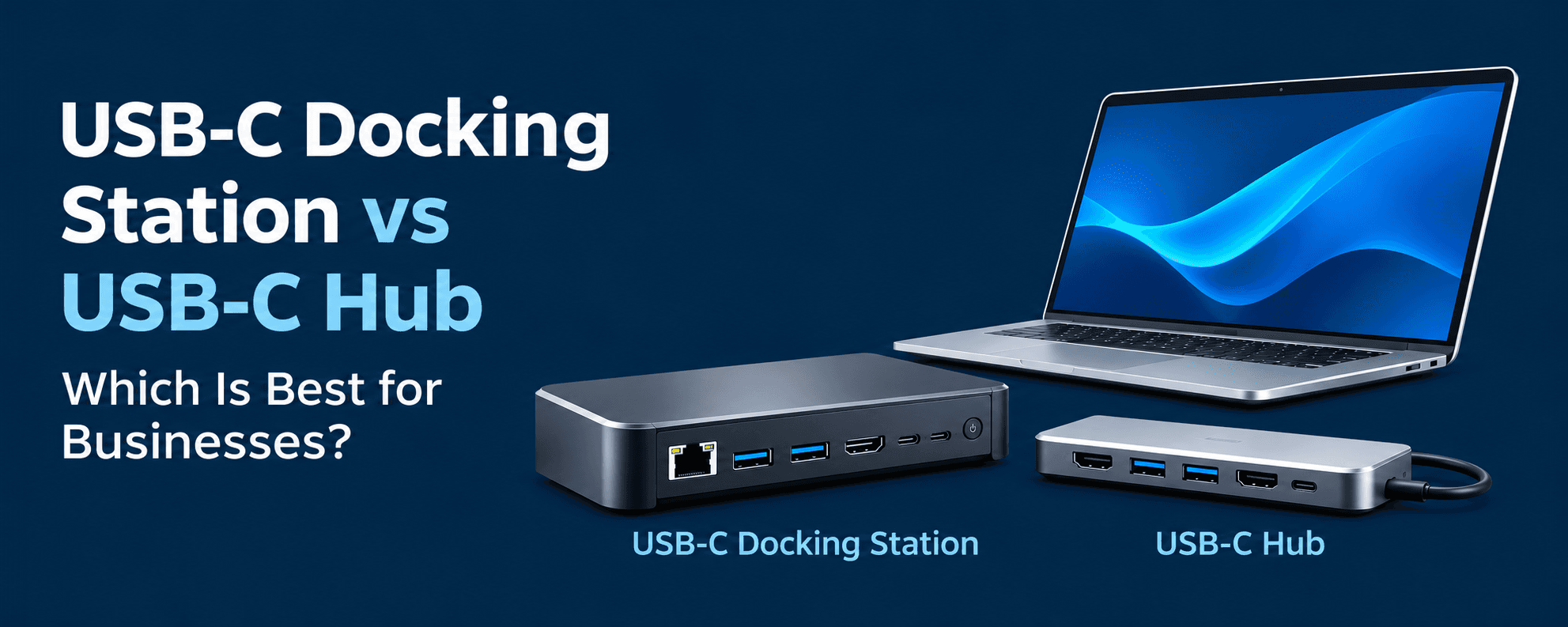
USB-C Docking Station vs USB-C Hub: Which Is Best for Business?
Modern businesses rely on laptops to support office-based, hybrid and remote working. However, as laptops become thinner and more portable, they often have fewer built-in connection ports. This can create challenges for employees who need to connect external monitors, keyboards, mice, storage devices, wired networks and other workplace equipment.
USB-C hubs and docking stations both help solve this problem, but they serve different purposes. A USB-C hub provides additional ports for everyday connectivity, while a docking station can support a more complete desktop workstation setup, depending on its specifications and the laptop's compatibility.
For IT managers and procurement teams, choosing between the two involves more than comparing port numbers or purchase prices. Monitor requirements, power delivery, data transfer speeds, device compatibility and long-term deployment needs all influence the right decision.
In this guide, we compare USB-C docking stations and USB-C hubs, explain their key differences, and explore which option is more suitable for different business environments.
What Is a USB-C Hub?
A USB-C hub is a compact connectivity accessory that expands the available ports on a laptop or computer. It connects through a USB-C port and provides additional connections for peripherals such as USB keyboards, mice, flash drives, external storage and, on supported models, external monitors.
For businesses using portable laptops, a USB-C hub can provide a straightforward way to connect essential accessories without requiring a larger docking station.
Common Features of a USB-C Hub
Depending on the model, a USB-C hub may include:
- USB-A ports: Connect keyboards, mice, USB drives and other peripherals.
- HDMI output: Connect an external display, provided the hub and laptop support video output.
- USB-C Power Delivery (PD): Some hubs support pass-through charging, allowing a compatible power adapter to charge the laptop through the hub.
- SD and microSD card readers: Transfer files from cameras and memory cards.
- Ethernet port: Available on some models for wired network connectivity.
- Additional USB-C ports: Support compatible data transfer or other specified functions.
Not every USB-C hub includes all these connections. Port availability, data transfer speeds, display resolutions and charging capabilities vary by model.
When Should a Business Use a USB-C Hub?
A USB-C hub is generally suitable when employees need additional connectivity for everyday tasks without requiring a permanent desktop workstation.
Typical business use cases include:
- Connecting a mouse, keyboard and USB storage device.
- Giving employees access to an external monitor when supported.
- Connecting removable storage and memory cards.
- Supporting employees who frequently travel between office locations.
- Expanding connectivity for presentations and temporary workstations.
Key takeaway: A USB-C hub is primarily designed to expand connectivity in a compact and portable format. It is often a practical choice for employees who need a few additional ports rather than a complete desktop setup.
What Is a USB-C Docking Station?
A USB-C docking station is a connectivity device that allows users to connect a laptop to multiple peripherals and workplace equipment through a single connection. Depending on its specifications, a docking station can provide access to external monitors, USB devices, wired networking, audio equipment and laptop charging.
For organisations managing office-based and hybrid teams, docking stations can help create consistent desk configurations across different departments.
Common Features of a USB-C Docking Station
Docking station capabilities vary by model, but business-focused options may include:
- Multiple USB-A and USB-C ports: Connect keyboards, mice, storage devices and other workplace peripherals.
- Multiple display outputs: Connect one or more external monitors, depending on the dock's specifications and laptop compatibility.
- Power Delivery (PD): Supply power to compatible laptops through the docking connection.
- Gigabit Ethernet: Provide wired network connectivity for supported business environments.
- Audio connections: Connect compatible headsets, speakers and other audio equipment.
- Additional connectivity: Some models offer card readers, security features and other specialised connections.
Businesses can explore the DDevices docking station range, which includes options from Lenovo and Dell.
When Should a Business Use a USB-C Docking Station?
A docking station is generally more suitable when employees need a consistent workstation with several connected devices.
Common business applications include:
- Office workstations: Connect monitors, keyboards, mice and other peripherals through one docking point.
- Hybrid working: Allow employees to reconnect their laptops quickly when moving between home and office.
- Multi-monitor environments: Support additional displays for roles involving spreadsheets, reporting, design or data analysis, subject to hardware compatibility.
- Hot-desking: Provide shared desk connectivity for employees using compatible laptops.
- IT standardisation: Help IT teams establish consistent workstation configurations across departments.
USB-C Docking Station vs USB-C Hub: Key Differences
Although USB-C hubs and docking stations provide additional connectivity, their capabilities and intended applications can differ considerably. A hub is generally designed for basic port expansion, whereas a docking station can support a more comprehensive workstation.
Which Offers Better Connectivity?
A USB-C hub is generally sufficient when employees need a few additional connections for everyday peripherals. However, businesses requiring multiple displays, wired networking and several connected devices may benefit from a docking station with the appropriate specifications.
For example, employees working with large spreadsheets, reporting dashboards or design applications may require additional external monitors alongside other workplace peripherals.
Which Is Better for Laptop Charging?
Both devices can support laptop charging, but this depends on their Power Delivery capabilities.
Some USB-C hubs offer pass-through charging, while many business docking stations provide dedicated power delivery. Businesses should compare the dock's or hub's maximum power output against the laptop manufacturer's recommended charging requirements.
Which Is Better for Business Workstations?
For employees who regularly connect several devices at a fixed desk, a docking station is generally the more suitable option. It can simplify desk connectivity and support a consistent workstation experience.
A USB-C hub may be more practical for employees who travel frequently or only need occasional access to additional ports.
The following table highlights the main differences businesses should consider.
| Feature | USB-C Hub | USB-C Docking Station |
|---|---|---|
| Primary purpose | Expands a laptop's available ports | Supports a more complete workstation setup |
| Connectivity | Usually provides a smaller selection of ports | Often offers a wider range of connectivity options |
| External monitors | Usually supports fewer display connections | May support multiple displays, depending on specifications |
| Power delivery | Available on selected models | Commonly available, with supported power levels varying by model |
| Ethernet | Available on some models | Frequently included in business-focused models |
| USB connectivity | Suitable for basic peripheral connections | Often supports more peripherals simultaneously |
| Portability | Compact and lightweight | Generally larger and less portable |
| Workstation setup | Suitable for occasional or basic connectivity | Better suited to permanent or shared desk setups |
| Typical business use | Travel, presentations and everyday office tasks | Hybrid working, hot-desking and multi-monitor workstations |
Frequently Asked Questions
The right choice depends on your connectivity requirements. A USB-C hub is suitable if you need a few additional ports for everyday accessories or occasional use. A docking station is generally better if you regularly connect multiple monitors, wired networking, peripherals and power through a single workstation connection.
For permanent office desks and demanding workstation setups, a docking station is usually the more practical option.
A laptop hub primarily expands the number of available ports, allowing users to connect additional USB devices, displays and other peripherals where supported. A docking station generally offers more comprehensive connectivity, including multiple display outputs, Ethernet and laptop charging on compatible models.
The main difference is their intended use: hubs focus on portable connectivity, while docking stations are designed to support more complete workstation environments.
A laptop with a docking station can be a practical alternative to a desktop computer for businesses that value mobility and flexible working. Employees can use their laptops as portable devices and connect them to external monitors, keyboards and other peripherals at their desks.
However, desktop computers may still be preferable for specialised workloads requiring dedicated hardware, greater upgrade flexibility or specific performance configurations. The decision depends on business requirements, employee mobility and total ownership costs.
USB hubs can have some limitations depending on their specifications and the devices connected to them. Potential drawbacks include:
- Limited port availability compared with larger docking stations.
- Restricted display support on some models.
- Shared bandwidth between connected devices.
- Limited or unavailable laptop charging support.
- Compatibility issues with certain laptops and peripherals.
Businesses should check the hub's supported data speeds, display capabilities and Power Delivery specifications before purchasing.
Why Choose DDevices for Business Connectivity Solutions?
Selecting the right connectivity equipment is important for building reliable and productive workplace environments. Businesses need solutions that match their laptop configurations, monitor requirements and employee workflows.
DDevices provides business technology products across several categories, helping organisations source equipment for their workplace requirements.
Explore the available product ranges:
- Docking Stations – connectivity solutions for business workstations.
- Laptops – devices for office-based and mobile employees.
- Monitors – external displays for workplace setups.
- Networking Devices – networking equipment for business environments.
Contact the DDevices team to discuss your business technology requirements and identify suitable connectivity solutions.
Final Verdict: USB-C Docking Station or USB-C Hub?
There is no single solution for every business. USB-C hubs are practical for portable, everyday connectivity, while docking stations are generally better suited to employees who need a complete workstation with multiple connected devices.
For IT managers and procurement teams, the best approach is to evaluate laptop compatibility, display requirements, power delivery and employee working patterns before making a purchasing decision.
Choosing the right connectivity solution can help simplify workstation management, support flexible working and create a more consistent employee experience.