Migrating Legacy Systems: Building a Stable Foundation for Digital Transformation
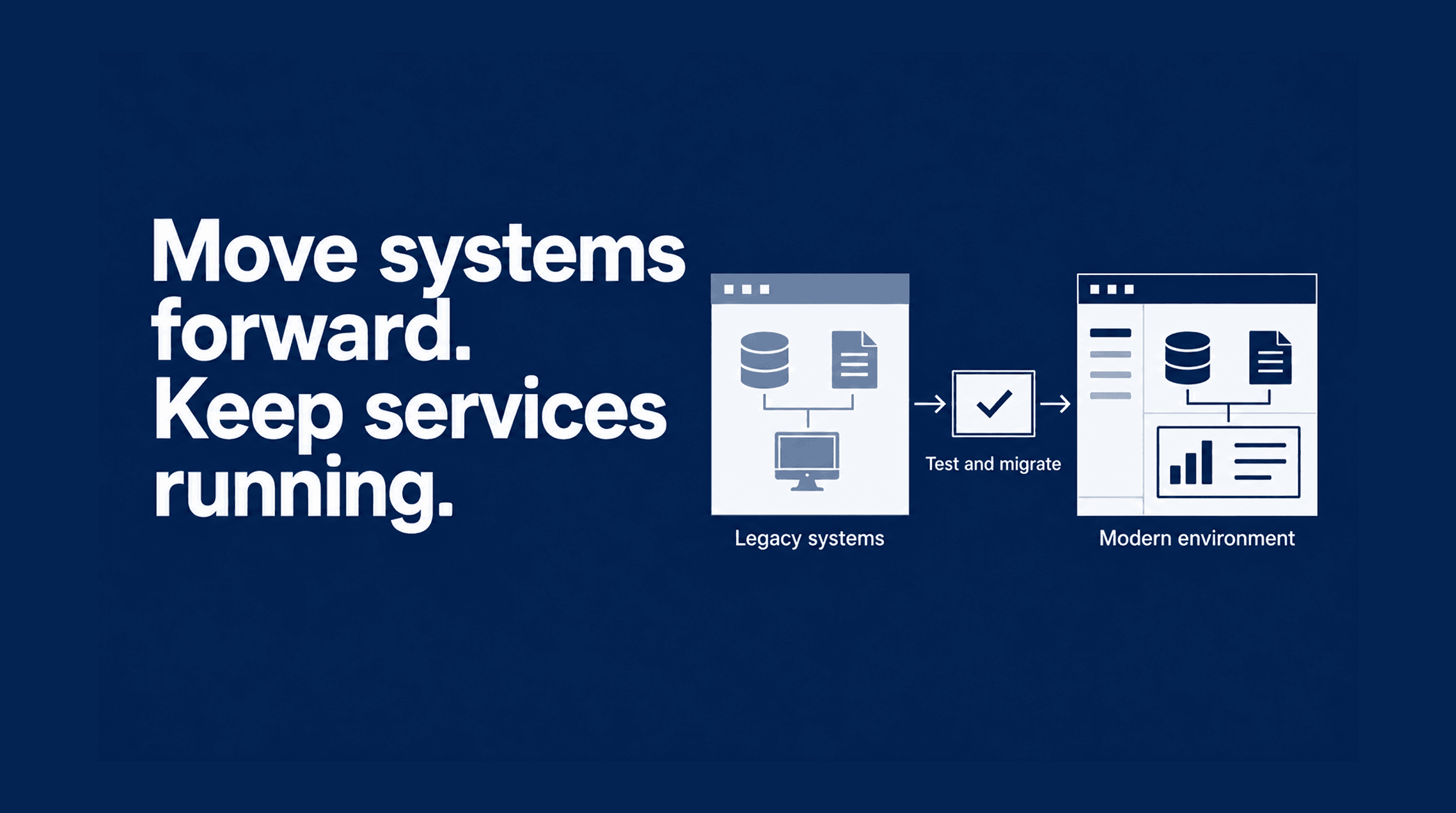
Migrating legacy systems means moving applications, data and IT services from outdated technology to a supported environment. For UK local councils, this involves maintaining essential services, from housing applications to council tax payments while replacing systems that staff and residents rely on every day.
Limited budgets, ageing infrastructure and dependence on existing software vendors can make legacy IT migration difficult to plan. A practical starting point is to map system dependencies, prioritise services and test changes in phases, with a rollback plan if problems arise. Reliable workstations support staff during the transition, alongside the application, data and infrastructure changes needed to keep services running.
This guide explores the challenges of legacy system replacement in councils, how to plan a phased migration and where dependable hardware supports the process.
1. When should councils replace legacy IT systems?
Councils should consider replacing legacy IT systems when unsupported software, recurring failures or integration limitations make essential services harder to maintain. The decision should reflect service needs, security risks and ongoing costs, rather than the age of the technology alone.
For staff handling housing applications, council tax enquiries and other resident services, these problems can mean entering the same information into several applications or relying on manual workarounds. Residents may face delays when information cannot move reliably between departments.
Before committing to replacement, councils should assess:
- Support status: Does the supplier still provide security updates and technical support?
- Service reliability: Do failures regularly interrupt staff workflows or resident access?
- Integration and dependencies: Can the system exchange data with other services, and what relies on it?
- Running costs: How much does maintenance, specialist support and manual processing cost?
- Migration readiness: Can data, applications and connected devices transition safely?
This assessment helps councils decide what to retain, upgrade or replace first. It also establishes priorities for a phased migration that fits available budgets and protects critical services. A structured IT procurement process can help councils define requirements, compare suppliers and assess the full cost of replacement.
Should councils retain, upgrade or replace legacy systems?
Use the following table to guide the decision on whether to retain, upgrade, replace or retire a legacy system.
| Decision | When to consider it | What to check |
|---|---|---|
| Retain | The system remains supported, reliable and suitable for service needs. | Security updates, integration compatibility and ongoing costs. |
| Upgrade | The system meets core needs but has specific performance or compatibility limitations. | Whether an upgrade resolves those limitations and extends supplier support. |
| Replace | Unsupported software, recurring failures or integration barriers make continued use difficult. | Data export, dependencies, replacement costs and migration readiness. |
| Retire | The system duplicates another service or no longer has a business purpose. | Record retention, connected systems and access to historical data. |
2. The hidden costs and risks of legacy systems
The cost of maintaining legacy systems extends beyond software licences and hardware repairs. For councils, it can include repeated administrative work, specialist support, service interruptions and the effort required to protect resident data.
These costs can be difficult to see when they are spread across departments. Common problems include:
Repeated manual work
When applications cannot exchange data, staff may need to enter the same information several times. This increases administrative effort and creates opportunities for errors.
Gaps in security support
Software that no longer receives security updates can leave known vulnerabilities unresolved. Councils need to assess support status and the safeguards protecting sensitive information.
Service delays
Slow applications, unreliable connections and complicated workarounds can delay enquiries and interrupt resident-facing services.
Specialist maintenance costs
Systems that depend on scarce technical expertise or customised integrations can be expensive to maintain and difficult to change.
Dependence on existing vendors
Restrictive contracts, limited data-export options or poorly documented integrations can make switching suppliers more complex.
3. How reliable workstations support legacy system migration
Reliable workstations help council staff continue their daily work while applications and services move to a new environment. Hardware alone cannot prevent migration disruption, but devices with suitable performance, compatibility and security capabilities can reduce problems at the point of use.
A legacy device is an older endpoint or piece of equipment still in operation. Its age alone does not determine whether it needs replacement; support status, condition and compatibility with the target environment matter more.
Before retaining or replacing legacy devices, councils should assess:
Application compatibility
Check that required applications, peripherals and drivers work with the planned operating system and device configuration.
Performance during transition
Test whether workstations can handle the workloads staff will use, including any period when old and new applications run alongside each other.
Reliability and support
Review device condition, failure history, warranty coverage and access to repairs or replacement parts.
Security capabilities
Confirm that devices support the organisation's requirements for encryption, secure boot, updates and endpoint management.
Total cost of ownership
Compare purchase costs with maintenance, support, energy use and expected service life to inform refresh decisions.
4. Six steps to plan a legacy system migration
Councils can reduce migration risk by mapping dependencies, planning costs and testing changes before moving live services. These six steps help structure the transition around available budgets and essential resident services.
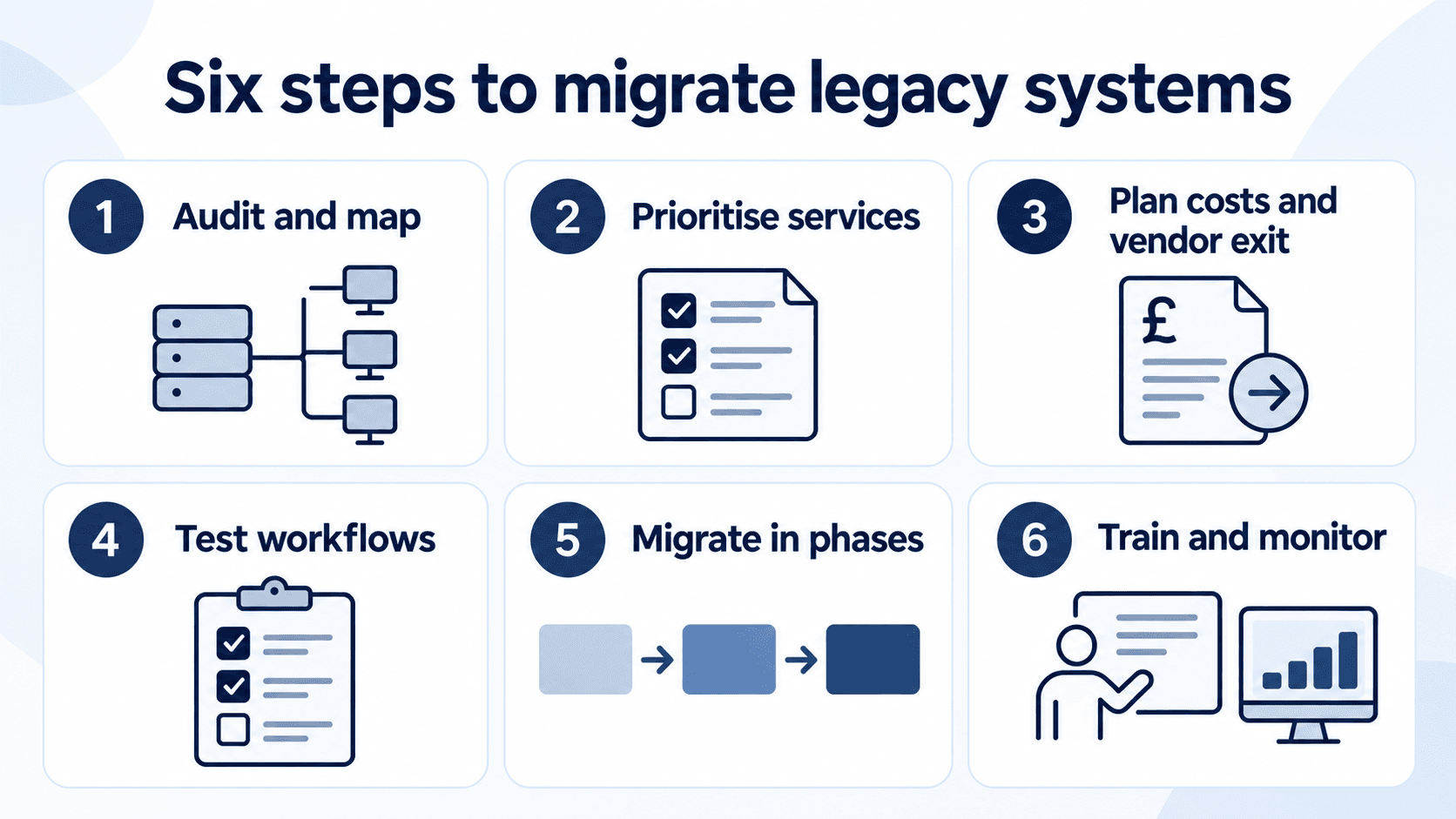
Step 1: Audit Systems and Map Dependencies
List each application, its owner, support status and running costs. Map its connections to databases, devices and other services so teams understand what replacement or retirement could affect.
Step 2: Prioritise Essential Council Services
Assess services such as council tax payments, housing applications and Blue Badge applications by importance, risk and migration readiness. Agree acceptable downtime and alternative access arrangements with service owners.
Step 3: Plan the Budget and Vendor Exit
Check contract notice periods, data ownership, export options and support from the existing supplier. Include integration work, data cleansing, training and overlapping licences in the transition budget.
Step 4: Test Data and Service Workflows
Trial the migration before changing live systems. Verify transferred records, integrations and essential staff tasks. For resident-facing portals, test accessibility, sign-in, forms and payments where applicable.
Step 5: Migrate in Phases with a Recovery Plan
Begin with a manageable pilot and use the findings to improve later stages. Move connected systems together where necessary, set approval criteria and maintain backups with a tested rollback or recovery plan.
Step 6: Train Staff and Monitor Results
Give staff practical training and access to support. Monitor service availability, errors and response times after each phase. Retire the old system only when required records and workflows remain accessible and retention obligations have been addressed.
Ready to plan your migration?
Review your systems, devices and next steps with Digital Devices.
5. Building a practical path away from legacy systems
Migrating legacy systems requires coordinated decisions about applications, data, suppliers and the devices staff use. For councils, a practical plan starts with understanding dependencies, prioritising essential services and budgeting for the full transition.
Reliable workstations support that plan when they meet the performance, compatibility and security requirements of the new environment. Combined with phased testing, staff training and recovery arrangements, they help teams manage the transition while continuing to serve residents.
Start by assessing which systems and devices can remain, which need updating and which should be replaced. Use those findings to build a migration roadmap around service needs and available funding.
6. Planning your next stage of IT Modernisation with Digital Devices
Replacing legacy systems means considering both the services you run and the devices your staff use. Digital Devices' Modern Workplace Solutions bring together digital transformation, cloud migration and device management to support your organisation's modernisation requirements.
Where workstations need replacing, our Procurement Services can help you evaluate technology options and lifecycle costs.
Discuss your current environment, priorities and planned changes with our team.
Find the right technology and support for your next IT upgrade.
Frequently asked questions
Migrating legacy systems involves moving applications, data and IT services to a supported environment. Legacy IT migration typically includes assessing dependencies, testing compatibility, transferring data and preparing staff before retiring the old system.
Councils should consider replacement when unsupported software, recurring failures, integration limitations or maintenance costs make services difficult to sustain. Assess each system's condition and service impact before deciding whether to retain, upgrade or replace it.
Start with a costed exit plan covering contract notice periods, data exports, supplier support and temporary overlapping licences. Map the systems connected to critical portals so changes do not unexpectedly affect payments, applications or resident records.
Test essential resident journeys in a separate environment, then migrate in manageable phases. Maintain backups and a tested recovery plan, including arrangements to preserve transactions submitted during the transition.
Budget for staff training and monitor service availability after launch. Retire the old system once essential workflows are stable and required records remain accessible. Separating essential migration work from optional upgrades helps control costs.
Legacy system dependency mapping records how applications, databases, devices and external services connect and rely on one another. It identifies shared data, integrations and supporting infrastructure that could be affected when a system is changed or retired.
For example, a council's housing portal may depend on identity verification, document storage and a case-management database. Replacing one component without checking these connections could interrupt applications or prevent staff from accessing records.
Mapping these dependencies helps teams decide which systems should move together, sequence the migration and identify workflows that need testing before launch.
Utility companies can give field staff mobile access to selected legacy system functions through secure interfaces or supported integrations. Start with a specific task, such as viewing work orders, checking asset records or submitting inspection results, and assess how information will move between the mobile application and the existing system.
Pilot the workflow with a small team. Test authentication, permissions, connectivity and how offline updates synchronise when a connection returns. Keep operational technology appropriately separated from mobile access, and expand only after confirming that the integration works reliably.
Include network dependencies, provisioning, billing, customer records and service-monitoring integrations. Test interoperability, capacity and recovery before cutover. A lifecycle assessment can help determine which devices to retain, upgrade or replace.
Common challenges include undocumented dependencies, unsupported equipment, incompatible interfaces and unclear supplier responsibilities. Maintain an asset inventory, assign ownership and agree support, data access and exit arrangements before making changes.
No platform can guarantee disruption-free migration. Evaluate compatibility with operational systems, audit trails, access controls and recovery requirements. Test critical workflows and connected suppliers before selection, then schedule changes around operational needs.
A legacy device is older equipment still in use, such as a workstation, server or network appliance. Replace it when support, reliability, security or compatibility no longer meets requirements. Lifecycle Services can support wider asset assessment and refresh planning.
Assess mission requirements, application compatibility, security controls, equipment support and supply continuity. Plan testing, deployment and data sanitisation around applicable organisational requirements, with traceable procurement and asset records.