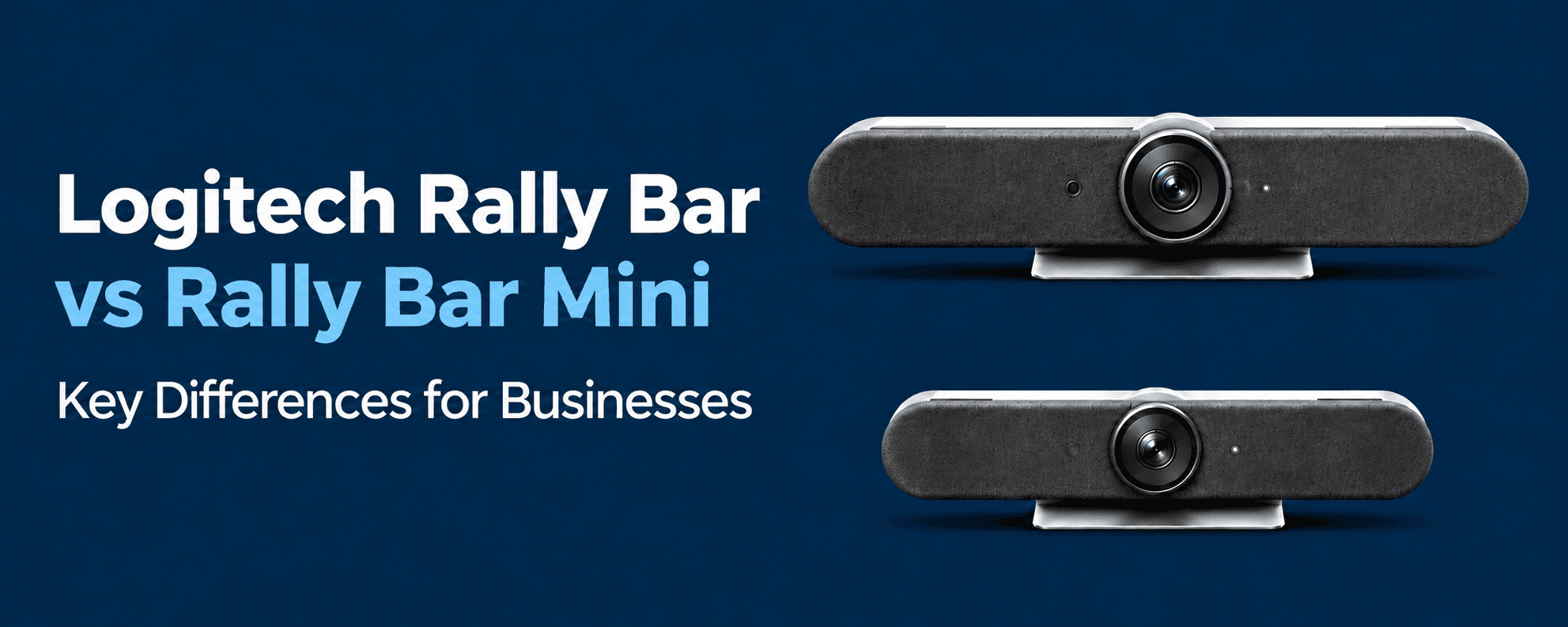
Logitech Rally Bar vs Rally Bar Mini: Key Differences for Businesses
Choosing between the Logitech Rally Bar and Rally Bar Mini requires understanding how their camera systems, audio capabilities and room coverage differ. Both are all-in-one video conferencing solutions designed to support professional meetings, but each offers a different combination of features for business environments.
This guide compares the Logitech Rally Bar and Rally Bar Mini, covering their camera performance, microphone and speaker capabilities, connectivity, conferencing modes and technical specifications. It also explores their business applications to help organisations understand the differences before making a procurement decision.
Businesses exploring wider video conferencing options can also browse the conference cameras available from DDevices and its Modern Workplace solutions.
What Is a Logitech Rally Bar?
The Logitech Rally Bar is an all-in-one video conferencing bar designed for medium to large meeting rooms. It combines a 4K PTZ camera, built-in microphones, integrated speakers and AI-powered audio and video features in a single device.
Its camera supports motorised pan and tilt, with 15x HD zoom (5x optical and 3x digital). The system also includes six beamforming microphones, two integrated speakers and support for up to four additional Rally Mic Pods. These features help businesses equip larger collaboration spaces without relying on a completely separate camera and audio system.
What Is Logitech Rally Bar Mini?
The Logitech Rally Bar Mini is a more compact all-in-one video conferencing solution designed for small to medium meeting rooms. Like the standard Rally Bar, it combines a 4K PTZ camera, six beamforming microphones, integrated speakers and Logitech's CollabOS platform.
Its camera offers a wider 120° diagonal field of view and 4x HD digital zoom. It also supports up to three additional Rally Mic Pods, allowing businesses to expand audio coverage when required.
Both systems support Logitech Sync device management and can operate in different conferencing configurations, including appliance and USB modes. This gives IT teams flexibility when deploying video conferencing technology across business locations.
For organisations planning wider workplace upgrades, these systems can form part of a broader DDevices Modern Workplace solution.
Logitech Rally Bar vs Rally Bar Mini: Key Differences
The most important differences between the two systems are their camera zoom capabilities, field of view and audio expansion options. Although both use 4K camera sensors and share several conferencing features, their specifications make them suitable for different meeting-room requirements.
1. Camera Resolution, Field of View and Zoom
Both Logitech Rally Bar and Rally Bar Mini feature a 4K camera sensor, but their optical design and zoom capabilities are different.
The Logitech Rally Bar offers a 90° diagonal field of view and 15x HD zoom, combining 5x optical zoom with 3x digital zoom. Its optical zoom capability helps capture participants clearly from greater distances, making it useful in medium-to-large conference rooms.
The Logitech Rally Bar Mini offers a wider 120° diagonal field of view and 4x HD digital zoom. Its wider viewing angle helps capture more participants across the room, particularly when the camera is positioned closer to the meeting table.
Both models also feature motorised pan (±25°), tilt (±15°) and a secondary AI Viewfinder camera to support participant detection and automatic framing.
Technical comparison
| Camera specification | Logitech Rally Bar | Logitech Rally Bar Mini |
|---|---|---|
| Camera sensor | 4K | 4K |
| Diagonal field of view | 90° | 120° |
| Horizontal field of view | 82.1° | 113° |
| Vertical field of view | 52.2° | 80.7° |
| Zoom | 15x HD | 4x HD digital |
| Optical zoom | 5x | Not available |
| Motorised pan | ±25° | ±25° |
| Motorised tilt | ±15° | ±15° |
What does this mean for businesses?
- Rally Bar: Its optical zoom provides greater flexibility when framing participants at a distance in larger meeting spaces.
- Rally Bar Mini: Its wider field of view is useful when capturing participants seated across a wider table in smaller rooms.
The choice is therefore not simply about resolution. Businesses should consider the distance between the camera and participants, room layout and the level of zoom required.
For more options, explore the DDevices conference camera range.
2. Microphone and Speaker Performance
Audio quality is just as important as camera performance in a business video conferencing system. Both Logitech Rally Bar models include built-in beamforming microphones and integrated speakers, but they differ in how many additional microphone pods they support.
Both systems include six omnidirectional digital MEMS microphones that use beamforming technology to capture voices from different areas of a meeting room. Their built-in microphones have a stated pickup range of up to 7 metres, helping participants communicate without needing to sit directly in front of the device.
The main difference is the number of additional Rally Mic Pods each system can support.
Logitech Rally Bar supports up to four additional Rally Mic Pods, making it more flexible for longer conference tables and larger meeting spaces. Its two integrated 70 mm speakers are designed to deliver clear audio throughout the room.
Logitech Rally Bar Mini supports up to three additional Rally Mic Pods. It features a three-speaker arrangement comprising one 70 mm woofer and two 43 mm mid-range speakers, providing integrated audio in a more compact design.
Microphone and speaker comparison
| Audio specification | Rally Bar | Rally Bar Mini |
|---|---|---|
| Built-in microphones | 6 beamforming microphones | 6 beamforming microphones |
| Microphone pickup range | Up to 7 metres | Up to 7 metres |
| Additional Rally Mic Pods | Up to 4 | Up to 3 |
| Built-in speakers | 2 × 70 mm | 1 × 70 mm woofer + 2 × 43 mm mid-range speakers |
| Audio processing | Echo cancellation, voice detection and AI noise suppression | Echo cancellation, voice detection and AI noise suppression |
What does this mean for businesses?
- Rally Bar: Offers greater microphone expansion capacity for larger or more complex meeting-room layouts.
- Rally Bar Mini: Provides a capable integrated audio system with fewer additional microphone expansion options.
Both systems use Logitech's RightSound technology to help distinguish speech from background noise, manage voice levels and reduce acoustic echo. Businesses can also expand their audio setup using compatible Logitech Rally Mic Pods.
For organisations upgrading their meeting-room communication systems, these audio capabilities can be considered as part of a wider Modern Workplace technology strategy.
4. Connectivity and Video Conferencing Modes
Both Logitech Rally Bar and Rally Bar Mini offer flexible connectivity options, allowing businesses to integrate them into different meeting-room environments. They can operate as standalone conferencing systems or connect to a computer, depending on the organisation's preferred setup.
Logitech supports three main operating modes:
1. Appliance Mode
In Appliance Mode, the video bar runs a supported conferencing application directly through its CollabOS platform. This allows businesses to create dedicated meeting rooms without requiring a separate computer to run every meeting.
- Supports compatible conferencing platforms such as Microsoft Teams Rooms and Zoom Rooms.
- Can connect to Logitech Tap or Tap IP room controllers.
- Supports up to two HDMI displays.
- Allows centralised device management through Logitech Sync.
2. USB Mode
In USB Mode, the Rally Bar or Rally Bar Mini connects to a dedicated meeting-room computer through USB. The computer runs the conferencing application, while the video bar provides the camera, microphones and speakers.
This configuration is useful for organisations that already have meeting-room PCs or prefer to manage conferencing applications through their existing IT infrastructure.
3. BYOD (Bring Your Own Device) Mode
BYOD allows employees or visitors to connect their own laptops to the conferencing system. The laptop runs the meeting application, while the Rally Bar provides the room's camera and audio equipment.
This option is particularly useful for businesses that use different conferencing platforms or regularly host external visitors.
Connectivity comparison
| Connectivity feature | Rally Bar | Rally Bar Mini |
|---|---|---|
| HDMI outputs | 2 | 2 |
| HDMI input | 1 | 1 |
| USB Type-A | 3 | 3 |
| USB Type-C | 1 | 1 |
| Ethernet | Gigabit | Gigabit |
| Wi-Fi | Supported | Supported |
| Logitech Sync management | Yes | Yes |
| Appliance, USB and BYOD configurations | Supported | Supported |
What does this mean for businesses?
The two systems offer broadly similar connectivity and deployment flexibility. The decision should therefore depend on the existing meeting-room infrastructure, conferencing platform, room controller requirements and whether employees need to connect personal devices.
Businesses planning a wider conferencing deployment can explore DDevices IT Services and Modern Workplace solutions for related technology requirements.
Why Choose DDevices for Logitech Video Conferencing Solutions?
Selecting the right video conferencing equipment is only one part of building an effective meeting-room environment. Businesses also need reliable technology procurement, suitable hardware configurations and support in aligning equipment with their workplace requirements.
DDevices helps UK businesses explore professional technology solutions for their operational and collaboration needs.
Why consider DDevices?
- Business technology procurement: Access professional technology products through DDevices' procurement services.
- Video conferencing equipment: Explore solutions such as Logitech Rally Bar and Rally Bar Mini through the DDevices conference camera range.
- Modern workplace solutions: Identify technology that supports hybrid working, meeting-room collaboration and workplace productivity.
- IT infrastructure expertise: Explore wider technology requirements through DDevices' IT Services.
- Business-focused solutions: Consider conferencing equipment as part of a wider workplace technology strategy rather than purchasing individual devices in isolation.
Whether your organisation is upgrading an existing conference room or planning a new collaboration environment, DDevices can help you explore suitable business technology options.
Explore Logitech conferencing solutions with DDevices. Visit the conference camera category or contact the DDevices team to discuss your requirements.
Frequently Asked Questions: Logitech Rally Bar vs Rally Bar Mini
The main differences are camera zoom, field of view and microphone expansion capacity. Rally Bar offers 15x HD zoom with 5x optical zoom and supports up to four additional Rally Mic Pods. Rally Bar Mini offers 4x HD digital zoom, a wider 120° diagonal field of view and supports up to three additional Rally Mic Pods.
Neither model is universally better. Rally Bar offers greater optical zoom and microphone expansion, making it suitable for medium-to-large meeting rooms. Rally Bar Mini provides a wider camera view in a more compact design for small-to-medium meeting spaces.
Yes. Rally Bar Mini features a 4K camera sensor and supports video resolutions up to 4K at 30 frames per second. The actual resolution available during meetings also depends on the conferencing platform, software configuration and network conditions.
Yes. Both systems support compatible Microsoft Teams Rooms and Zoom Rooms configurations. They can also operate in USB mode with a connected computer running a compatible conferencing application. Platform availability and licensing requirements depend on the deployment configuration.
Rally Bar includes six built-in beamforming microphones and supports up to four additional Logitech Rally Mic Pods. These additional microphones can help extend audio coverage in larger meeting rooms.
Rally Bar Mini also includes six built-in beamforming microphones and supports up to three additional Rally Mic Pods. This provides additional flexibility when the built-in microphones do not provide sufficient coverage.
Businesses can explore the Logitech Rally Bar and Rally Bar Mini through the DDevices conference camera category. For product availability, lead times and procurement enquiries, organisations can contact DDevices.